
Quick start
From a repository that should be orchestrated:
cd your-repo
devctl setup
gcloud auth application-default login   # only if you need Google Cloud
devctl doctor
devctl
devctl setup is a 9-step CLI wizard (repo root, project name, Google project, optional ADC login, optional SA email, optional IAP audience, proxy port, default profile, then doctor). If .devctl/config.yaml is missing it writes a starter file.
With no config, the TUI opens setup instead of exiting: Enter writes a starter config, Esc leaves.
For a guided path from existing startup commands to a validated configuration, follow Onboard your repository. For working stack patterns, see Examples & recipes.
In the TUI
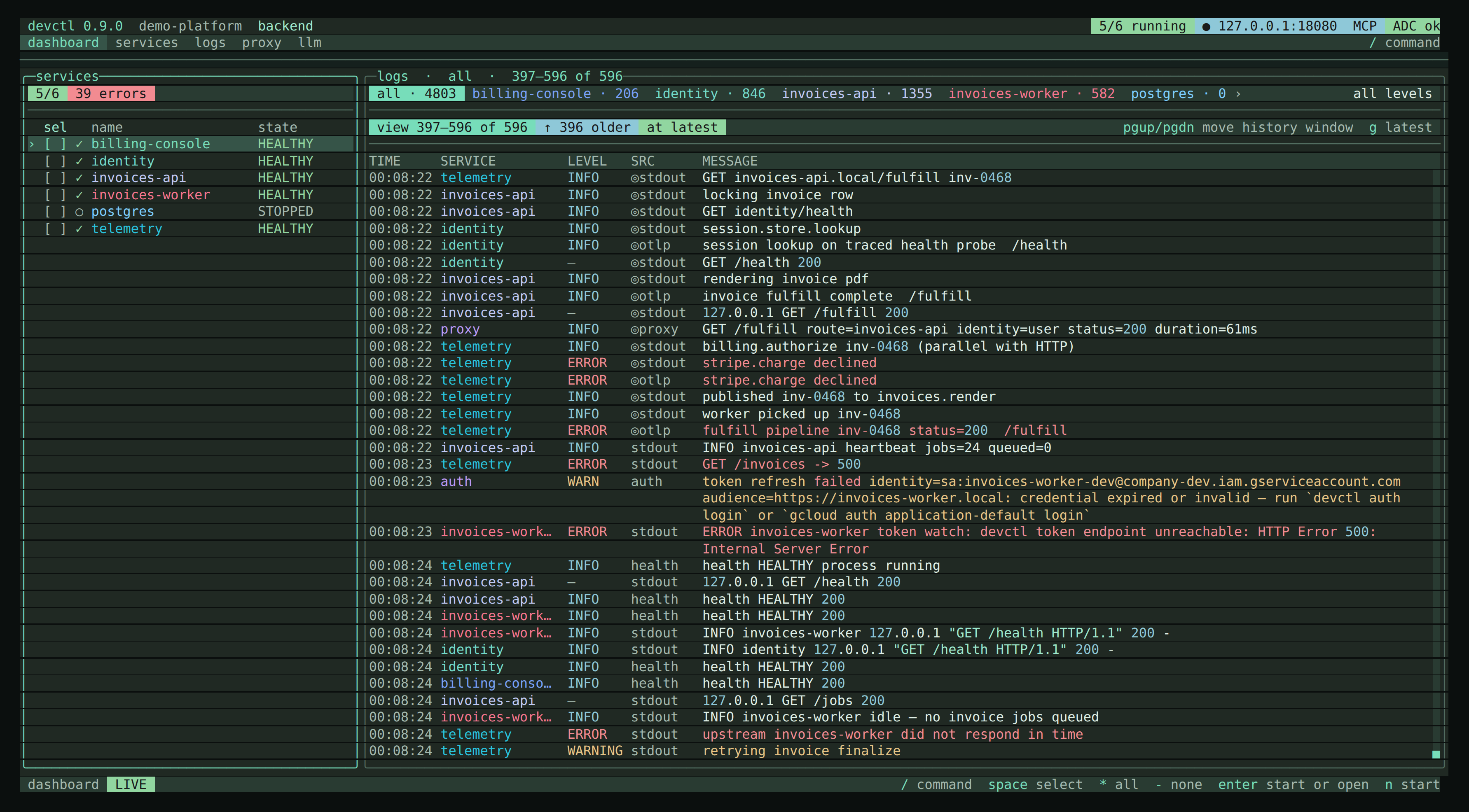
- Press
oto pick a profile (if you defined any). - On an empty dashboard,
enterstarts the default profile (first profile name alphabetically) after a plan overlay. nstarts the highlighted row or the space-selected set;xstops;Rrestarts.lopens centralized logs. Identity isa. Credentials (never raw tokens) are/credentials.
See TUI for every screen and key.
CLI equivalent
devctl start --profile backend
devctl status
devctl logs invoices-api
devctl attach
devctl down
devctl start with no profile and no service names starts the active session profile, or the first configured profile. Pass --profile or explicit names to stay narrower. With no profiles, start fails instead of launching every service. It always leaves the daemon running after it exits — --detach is deprecated and no longer needed for that.
devctl attach only dials an existing supervisor. If nothing is listening, start with devctl start first. devctl down stops the daemon when you are done (add --keep-services to leave services running).
Try the demo
Node.js 18 or later. From a clone:
cd examples/demo-platform
npx @amr-m-abdelgawad/devctl@latest
From a source checkout (bun on PATH):
cd examples/demo-platform
bun run ../../app/src/bin.ts
No Google Cloud for the host services. Profiles: minimal, backend, full, and opt-in data (Docker/PostgreSQL). Empty start is backend (first name alphabetically). Details: demo platform.