
Doctor
When one or more services declare container, doctor checks that each selected Docker or Podman executable is installed and that its daemon is reachable. A present CLI with a stopped or inaccessible daemon is reported separately from a missing runtime.
devctl doctor
devctl doctor --json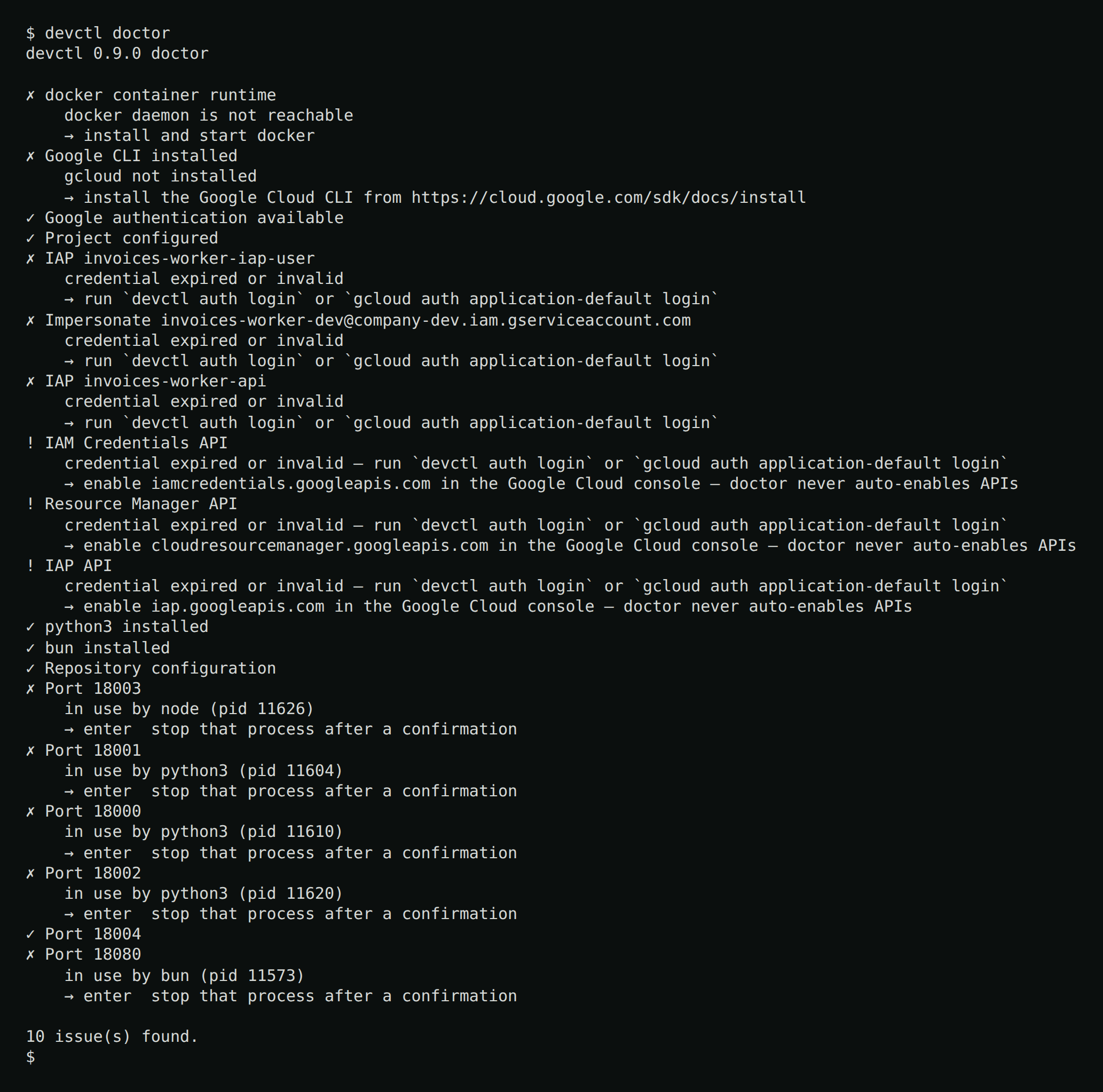
Exit code 2 when any check is not ok (same code as configuration errors).
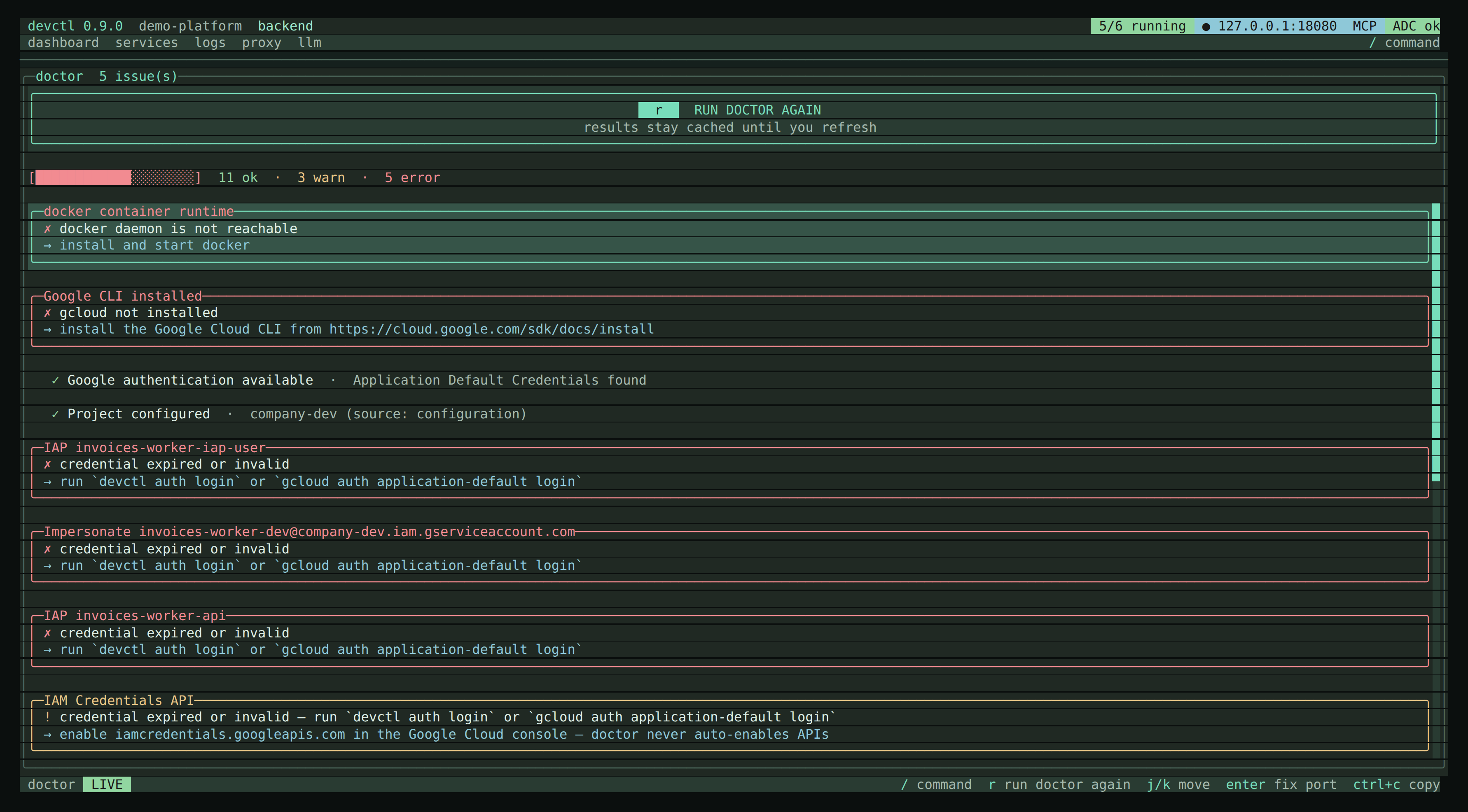
The TUI Doctor screen (/doctor or d) re-runs on every visit (r also refreshes). j/k move. enter on a busy port asks to SIGTERM that process (then SIGKILL if it still holds the port). Before each signal, devctl looks up the port again: if a different process holds it now (the row is stale and the pid may have been reused), nothing is stopped and the status line names the new holder. If nothing holds the port any more, it reports the port as already free. Either way, doctor then rechecks that port only — it does not run the rest of the checks again. Ports owned by a running container service are treated as healthy; enter never offers to kill the Docker or Podman daemon.
The web console Doctor page (#/doctor) runs the same checks on visit and on Refresh. It lists severity, message, and hint, including the busy-port holder. Stop stays TUI/CLI-only — the web page does not kill processes.
What it checks
- Google CLI installed
- Application Default Credentials. An
authorized_userfile with noaccountfield is a warning: re-rungcloud auth application-default loginin an interactive terminal, or add"account": "<your-email>".gcloud config get-value accountprints the email. The warning does not fail doctor. - Project (with source)
- Live IAM Credentials / Resource Manager / IAP API reachability via Service Usage (reported, never auto-enabled)
- Impersonation for each configured service account
- IAP audiences (including SA impersonation)
- IAP credentials file on each route that sets
auth.credentialsor foldedproxy.credentials(exists,authorized_userJSON,refresh_token,client_idmatches the route). The well-known ADC path hintsgcloud auth application-default loginwith a client secret file that matchesclient_id(or omitclient_id); TUI/auth loginordevctl auth login. Any other path is named in the hint: regenerate that file. The gcloud ADC command writes a different file and does not update it. - Configured
doctor.toolsbinaries (demo:python3,bun) - Docker or Podman CLI installed, and that daemon reachable, when any service declares
container(every such service in config, not only the active profile — the demo probes Docker becausepostgresis always declared) - Container image USER is not root (warns when inspect shows root; set
container.user) - Ports declared in config
- Repository configuration validity
- Google token mint rate (warns when one identity/audience pair is minted often in the last minute)
Doctor probes IAP / service-account identity when any route or service declares them, even if the rest of the repo looks local-only.
Failures include an actionable hint. Error classes: authentication, authorization, missing API, missing IAM role, wrong project, wrong service account, IAP, expired credential, network.
Ports held by your own running services — host processes or published container ports — show as “in use”. That is expected after start. Use the free-port action only for leftovers that are not this supervisor’s children.
Typical loop: